
How to Send a Fax in 2026: Online, From Your Phone, or a Fax Machine
Fax machines might feel like a relic of the past, but faxing itself is very much alive. Industries like healthcare, legal services, real estate, and government still rely on faxes because they’re secure, create a paper trail, and are often required for compliance. The good news is you no longer need a bulky machine sitting on a desk to send one. Whether you’re faxing a signed contract, medical records, or a simple document, this guide walks you through every method available in 2026 — from traditional machines to fully digital, phone-based options.
Do You Still Need a Fax Machine in 2026?
Short answer: no. While plenty of offices still keep a physical fax machine around, most people and businesses now send faxes entirely online. Online faxing eliminates the need for a phone line, ink, or paper, and lets you send documents from a computer, smartphone, or tablet in minutes.
That said, if your workplace already has a fax machine, it’s still a perfectly valid way to send documents — it’s simply no longer the only, or even the most convenient, option.
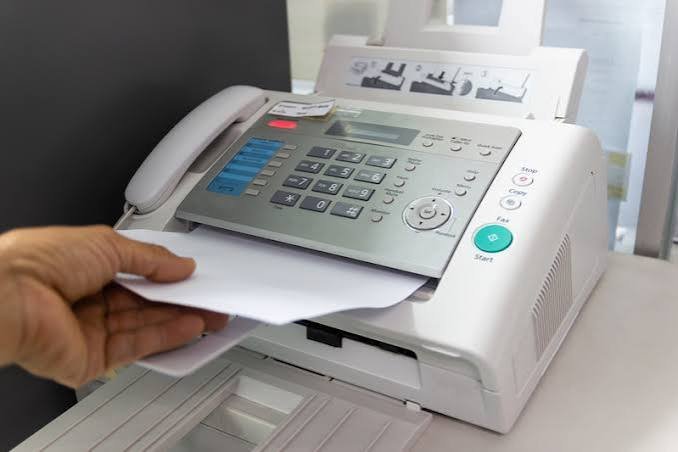
How to Send a Fax Using a Traditional Fax Machine
If you have access to a physical fax machine, sending a fax is straightforward:
Step 1: Prepare Your Document
Include a cover sheet with the recipient’s name, your name, the date, and the total number of pages. This helps the recipient confirm the fax arrived complete.
Step 2: Load the Document
Place your pages face-down (or face-up, depending on the machine) into the document feeder.
Step 3: Enter the Fax Number
Dial the recipient’s fax number exactly as you would a phone number, including the area code.
Step 4: Send and Confirm
Press “Send” or “Start.” Most machines print a confirmation page once the fax goes through — keep this as proof of delivery.
How to Send a Fax Online
Online faxing has become the default method for most people because it doesn’t require any hardware. Here’s how it typically works:
Step 1: Choose an Online Fax Service
Sign up for a service that lets you send faxes through email, a web dashboard, or an app. Pricing generally runs between $7 and $20 a month for standard plans, though several providers offer free tiers for occasional use, according to TechnologyAdvice’s 2026 review of online fax services.
Step 2: Upload Your Document
Most services accept PDFs, Word documents, and scanned images. Simply upload the file through the provider’s website or app.
Step 3: Enter the Recipient’s Fax Number
Type in the destination fax number, just as you would with a physical machine.
Step 4: Send and Track Delivery
Click send. Most online fax platforms email you a delivery confirmation once the fax goes through, so you have a digital paper trail without needing a printed receipt.
Popular Online Fax Services to Consider
If you’re not sure where to start, a few providers stand out for different needs. According to ComFax’s comparison of the top fax services, all-around options that work well for both occasional senders and small businesses include a mix of established and newer platforms. For anyone looking for a no-cost option, mfax.to’s roundup of free fax services notes that some providers offer a permanently free tier with a monthly page limit, while others allow a handful of free faxes per day without requiring an account.
How to Send a Fax From Your Phone
You don’t need a computer to send a fax anymore — your smartphone can handle it too.
Using a Fax App
Download a reputable fax app from your phone’s app store, snap a photo or upload a file, enter the recipient’s number, and send. Most apps mirror the same process as web-based fax services, just optimized for mobile.
Using Email-to-Fax
Some fax providers let you send a fax by simply emailing your document to a special fax number formatted as an email address (for example, 1234567890@servicename.com). This works from any email app on your phone without installing anything extra.
Choosing the Right Fax Method for Your Needs
Not every method suits every situation. Here’s a quick way to decide:
- Occasional personal use: A free online fax service or app is usually enough.
- Frequent business faxing: A paid subscription with higher page limits and delivery tracking will save time and reduce overage fees.
- Regulated industries (healthcare, legal, finance): Look specifically for HIPAA-compliant or encrypted fax services, since standard email faxing may not meet compliance requirements.
- Office with an existing fax machine: There’s no need to switch if it already works for your workflow.
Common Fax Sending Mistakes to Avoid
- Skipping the cover sheet: It helps recipients confirm the fax is complete and know who sent it.
- Mistyping the fax number: Even one wrong digit sends your document to the wrong destination.
- Not confirming delivery: Always check for a confirmation page or email before assuming your fax went through.
- Using an unsecured method for sensitive documents: Standard email isn’t a substitute for a compliant fax service when handling medical or financial records.
Final Thoughts
Sending a fax in 2026 is easier than most people expect. Whether you stick with a traditional fax machine, switch to an online fax service, or send documents straight from your phone, the process boils down to the same basics: prepare your document, enter the right number, and confirm delivery. For most everyday needs, an online or mobile fax option will save you time and skip the hardware entirely — while regulated industries should prioritize compliant, secure providers built for sensitive documents.